
I've reviewed hundreds of resumes at RankResume, and the pattern is always the same: job seekers spend hours tweaking fonts and margins while missing the critical formatting errors that actually cause ATS rejections. The problem isn't effort—it's knowing exactly what to verify before you hit "submit."
Research shows that 75% of resumes are rejected by ATS before reaching human recruiters due to formatting issues, missing keywords, or incompatible file types. When you create resume instantly for a job opening, you need a systematic way to verify every element that matters to applicant tracking systems—not just general advice about "keeping it simple."
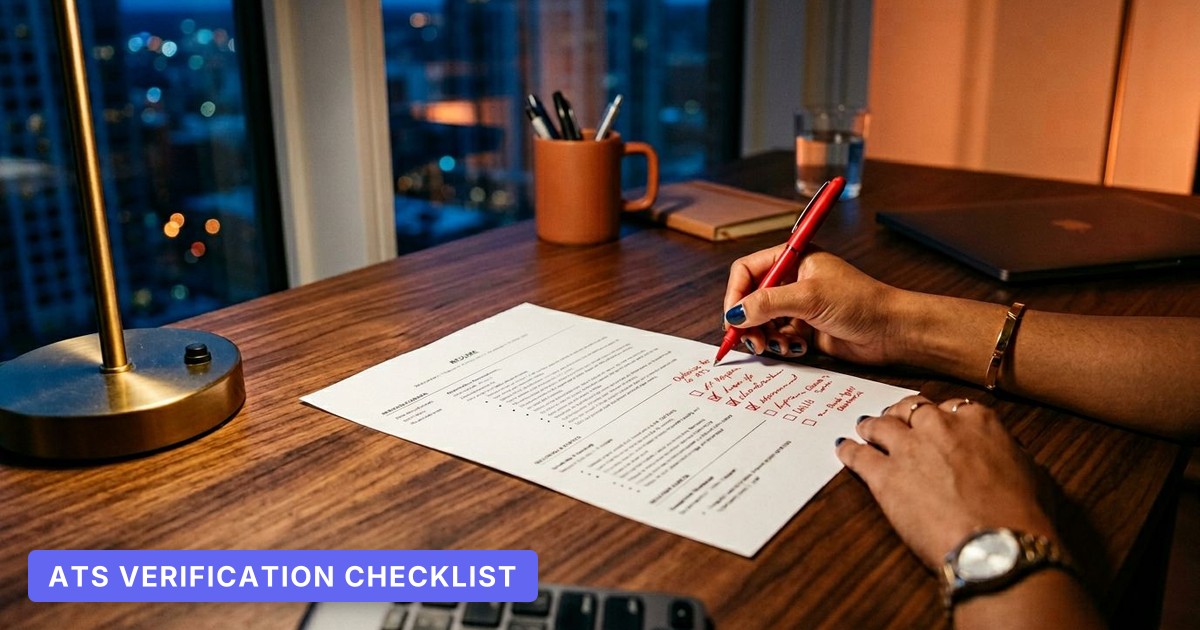
This guide provides a granular, section-by-section verification checklist with specific pass/fail criteria you can apply while editing your resume in real-time. Each item includes concrete examples showing exactly what fails ATS parsing and what passes. Unlike generic formatting guides, this checklist tells you precisely how to test each element and what "passing" looks like for your specific resume.
Header Section: Contact Information & Professional Identity
Your header is where most ATS resume parsing errors begin. Systems expect specific data patterns in predictable locations. Here's how to verify each element:
Name formatting (Pass/Fail test):
- ❌ Fails: Name in all caps (JOHN SMITH), name split across lines, name in a text box or image
- ✅ Passes: Standard title case on a single line, largest font on page (16-18pt), no special characters in the name itself
Phone number (Pass/Fail test):
- ❌ Fails: (555) 123-4567 ext. 89, phone number in header/footer, number without country code for international applications
- ✅ Passes: +1-555-123-4567 or 555-123-4567 in body text, labeled "Phone:" or "Mobile:" if using multiple contact methods
Email address (Pass/Fail test):
- ❌ Fails: Unprofessional handles (partygirl2026@...), email in an image, email without the @ symbol rendered correctly
- ✅ Passes: firstname.lastname@domain.com format, clickable mailto: link if submitting online, visible in plain text
LinkedIn URL (Pass/Fail test):
- ❌ Fails: "LinkedIn" as hyperlinked text with URL hidden, full public profile URL with tracking parameters (?trk=...)
- ✅ Passes: linkedin.com/in/yourname as visible text, custom URL (not the default number string), labeled "LinkedIn:" for clarity
Location (Pass/Fail test):
- ❌ Fails: Full street address (privacy risk, wastes space), just city without state/country for remote roles
- ✅ Passes: City, State format (Austin, TX) or City, Country for international roles, "Remote" or "Open to relocation" if relevant
Most ATS systems parse the header by looking for these exact patterns. When you use RankResume's AI-powered resume builder, the system automatically structures your header in the format that maximizes parsing accuracy across different ATS platforms.
Key finding: Approximately 99% of Fortune 500 companies use Applicant Tracking Systems to filter and rank job applications, making header parsing the first critical checkpoint.
Professional Summary: ATS Keyword Density Verification
Your summary section needs to balance human readability with ATS keyword requirements. Here's the line-by-line verification:
Length check (Pass/Fail test):
- ❌ Fails: One sentence (under 30 words), wall of text exceeding 100 words, summary written in first person ("I am a...")
- ✅ Passes: 3-5 sentences totaling 50-80 words, written in third person or implied first person, starts with your job title or professional identity
Job title match (Pass/Fail test):
- ❌ Fails: "Experienced professional seeking new opportunities," generic title that doesn't match job posting ("Specialist" when posting says "Manager")
- ✅ Passes: Exact job title from posting in first sentence: "Senior Product Manager with 7 years driving SaaS growth..." when applying for Senior Product Manager role
Keyword density (Pass/Fail test):
- ❌ Fails: No hard skills mentioned, soft skills only ("team player," "detail-oriented"), keyword stuffing (repeating same term 4+ times)
- ✅ Passes: 3-5 hard skills from job description integrated naturally, measurable outcome in at least one sentence, industry-specific terminology
Before (Fails ATS): "Dynamic professional with excellent communication skills seeking a challenging role where I can leverage my experience to drive results and grow professionally in a collaborative environment."
After (Passes ATS): "Product Manager with 6 years launching B2B SaaS features for 50K+ users. Expertise in agile development, stakeholder management, and data-driven roadmap prioritization. Led cross-functional teams to achieve 40% increase in user retention through feature optimization."
The "after" version passes because it includes the exact job title, three hard skills (agile development, stakeholder management, roadmap prioritization), and a quantified outcome—all elements ATS systems score for keyword matching.
Work Experience: Formatting and Content Verification
This section carries the most weight in ATS resume format checklist validation. Every line matters.
Section heading (Pass/Fail test):
- ❌ Fails: Creative headings ("My Journey," "Career Highlights"), heading in a text box or table, inconsistent heading hierarchy (H3 for Experience, H2 for Education)
- ✅ Passes: Standard terms: "Work Experience," "Professional Experience," or "Experience" as H2-level heading, consistent with other section headings
Company name and dates (Pass/Fail test):
- ❌ Fails: Company name and dates on same line with job title, dates in European format (DD/MM/YYYY) for US applications, "Present" instead of current month/year
- ✅ Passes: Company name on its own line or clearly separated, dates in MM/YYYY – MM/YYYY format or "MM/YYYY – Present", right-aligned dates acceptable if they're in plain text
Job title hierarchy (Pass/Fail test):
- ❌ Fails: Multiple roles at same company listed as separate entries without connecting them, promotions not shown chronologically
- ✅ Passes: Company name appears once with all roles nested beneath, most recent role listed first, clear progression shown (Associate → Senior Associate → Manager)
Bullet point structure (Pass/Fail test):
- ❌ Fails: Paragraphs instead of bullets, more than 7 bullets per role, bullets starting with "Responsible for..." or "Duties included..."
- ✅ Passes: 4-6 bullets per role, each starting with past-tense action verb (Led, Developed, Increased, Reduced), one accomplishment per bullet
Quantification (Pass/Fail test):
- ❌ Fails: No numbers in any bullet ("Managed team projects," "Improved customer satisfaction"), percentages without context ("Increased revenue by 30%"—30% of what baseline?)
- ✅ Passes: At least 50% of bullets include metrics, numbers provide context (team size, budget, timeline, percentage with baseline), currency formatted consistently ($50K or $50,000, not both)
Before (Fails ATS): "Responsible for managing social media accounts and creating content. Worked with team members to develop marketing campaigns. Helped improve engagement metrics."
After (Passes ATS): "Managed 5 social media channels (LinkedIn, Twitter, Instagram, Facebook, TikTok) reaching 200K+ followers. Developed 12 integrated marketing campaigns generating 3,500 qualified leads. Increased average engagement rate from 2.1% to 4.8% through A/B testing and content optimization."
The difference: specific platforms, exact numbers, measurable outcomes, and action verbs that ATS systems recognize as achievement indicators. When you're learning how to make resume ATS compliant, this level of specificity in your experience section is non-negotiable.
Skills Section: ATS Resume Section Order and Keyword Matching
The skills section is where ATS keyword matching happens most directly. This is also where job seekers make the most preventable errors.
Section placement (Pass/Fail test):
- ❌ Fails: Skills buried at bottom after references, skills integrated only within experience bullets (no dedicated section), skills in a sidebar or column that ATS can't parse
- ✅ Passes: Skills section appears in top half of resume (after summary, before or after experience), clearly labeled "Skills," "Technical Skills," or "Core Competencies"
Skill categorization (Pass/Fail test):
- ❌ Fails: All skills in one undifferentiated list, mixing hard and soft skills randomly, using only acronyms without spelling out terms
- ✅ Passes: Skills grouped by category (Technical Skills, Languages, Certifications) if you have 10+ skills, both acronym and full term for technical skills (ATS and Applicant Tracking System), hard skills only—soft skills belong in experience bullets with proof
Keyword matching (Pass/Fail test):
- ❌ Fails: Generic skills not in job description ("Microsoft Office," "Team player"), skills listed that you can't discuss in an interview, synonyms used when job posting uses specific term (posting says "JavaScript," you write "JS")
- ✅ Passes: 70-80% of required skills from job description appear verbatim, skills listed match your experience level (don't list "Expert in Python" with 6 months experience), proficiency levels included if you have varying expertise (Advanced, Intermediate, Basic)
Formatting (Pass/Fail test):
- ❌ Fails: Skills in a table, skills with star ratings or progress bars, skills in multiple columns that ATS reads left-to-right across both columns
- ✅ Passes: Simple bullet list or comma-separated list, plain text (no graphics), single column or ATS-friendly two-column format with clear separation
Before (Fails ATS): "Skills: MS Office, Leadership, Problem-solving, Quick learner, HTML/CSS, Communication, Team collaboration"
After (Passes ATS):
Technical Skills: Python, SQL, Tableau, Google Analytics, A/B testing, HTML/CSS, JavaScript
Marketing Platforms: HubSpot, Salesforce, Marketo, Google Ads, Facebook Ads Manager
Certifications: Google Analytics Individual Qualification (GAIQ), HubSpot Content Marketing
The "after" version passes because it separates technical skills from certifications, uses full platform names, and includes only verifiable hard skills—all factors that improve ATS resume compatibility test results.
Education Section: Credentials and Formatting
Education formatting seems simple, but small errors here cause parsing failures that disqualify otherwise strong candidates.
Degree formatting (Pass/Fail test):
- ❌ Fails: Abbreviations without full degree name (B.S. without "Bachelor of Science"), degree in all caps, degree and major on separate lines
- ✅ Passes: Full degree name with abbreviation: "Bachelor of Science (B.S.) in Computer Science," degree and major on same line, degree listed before institution name
Institution name (Pass/Fail test):
- ❌ Fails: Unofficial abbreviations (UCB instead of University of California, Berkeley), campus location without institution name, institution in a different font or style
- ✅ Passes: Official institution name as it appears on transcript, location in City, State format after institution name, consistent formatting with work experience section
Graduation date (Pass/Fail test):
- ❌ Fails: Graduation date more than 15 years ago (age discrimination risk—omit date if experienced), "Expected" without specific month/year, date in full format (May 15, 2022)
- ✅ Passes: Month and year only (May 2022), "Expected May 2027" for current students, no date if graduated before 2010 and you have 10+ years experience
GPA inclusion (Pass/Fail test):
- ❌ Fails: GPA under 3.5 on 4.0 scale, GPA included if you graduated more than 5 years ago, GPA without scale (3.7 instead of 3.7/4.0)
- ✅ Passes: GPA 3.5+ on 4.0 scale for recent graduates (within 3 years), GPA omitted entirely if not strong or if experienced professional, format: "GPA: 3.8/4.0"
Relevant coursework (Pass/Fail test):
- ❌ Fails: Listing general education requirements, more than 6 courses listed, coursework included if you have 5+ years experience
- ✅ Passes: 3-5 courses directly relevant to target role, coursework only if recent graduate (within 2 years), courses listed in comma-separated format, not bullets
Before (Fails ATS): "Education: BS Computer Science, UCLA, 3.2 GPA, Graduated 2018"
After (Passes ATS):
Bachelor of Science (B.S.) in Computer Science
University of California, Los Angeles (UCLA) | Los Angeles, CA | May 2018
Relevant Coursework: Machine Learning, Database Systems, Software Engineering, Algorithm Design
The "after" version passes because it uses the full degree name with abbreviation, includes the official institution name, formats the date correctly, omits a mediocre GPA, and adds relevant coursework that reinforces technical skills.
File Format and Submission: Technical Compatibility Checklist
Even a perfectly formatted resume fails if the file itself can't be parsed. This final verification step prevents technical rejection.
File type (Pass/Fail test):
- ❌ Fails: .pages, .odt, or other non-standard formats, PDF created from design software (InDesign, Illustrator), password-protected PDF
- ✅ Passes: .docx for maximum compatibility, PDF only if created from Word or Google Docs with text layer intact, plain text (.txt) as backup if system specifies
File name (Pass/Fail test):
- ❌ Fails: resume.pdf, MyResume_Final_FINAL_v3.docx, file name with special characters or spaces
- ✅ Passes: FirstName_LastName_Resume.pdf or FirstName_LastName_JobTitle.pdf, no version numbers or dates, underscores instead of spaces
PDF text layer verification (Pass/Fail test):
- ❌ Fails: Can't select/copy text from PDF, PDF shows image artifacts when zoomed, PDF created by scanning or photographing a printed resume
- ✅ Passes: All text selectable and searchable, PDF created from "Save as PDF" or "Export to PDF" function, file size under 1MB
Resume length (Pass/Fail test):
- ❌ Fails: More than 2 pages for less than 10 years experience, one page with 8pt font and 0.3" margins, three pages for any experience level
- ✅ Passes: One page for 0-7 years experience, two pages for 8+ years or academic/technical roles, readable font size (10-12pt) with 0.5-1" margins
Formatting elements to avoid (Pass/Fail test):
- ❌ Fails: Headers/footers with page numbers or dates, tables for layout structure, text boxes, columns, images, logos, horizontal/vertical lines, shading, hyperlinks that break when copied
- ✅ Passes: Single-column layout (or simple two-column if using ATS-tested template), standard section headings, consistent font throughout, no graphics or special characters
According to the U.S. Bureau of Labor Statistics, there are approximately 4.8 million job open
Leave a comment